Postcard From 2035 #4: Your IP Told Them Where
A postcard from 2035: you hid what you said, but your IP told them where. What an IP address reveals, how Tor works, and how Z-TEXT's built-in Tor hides it.

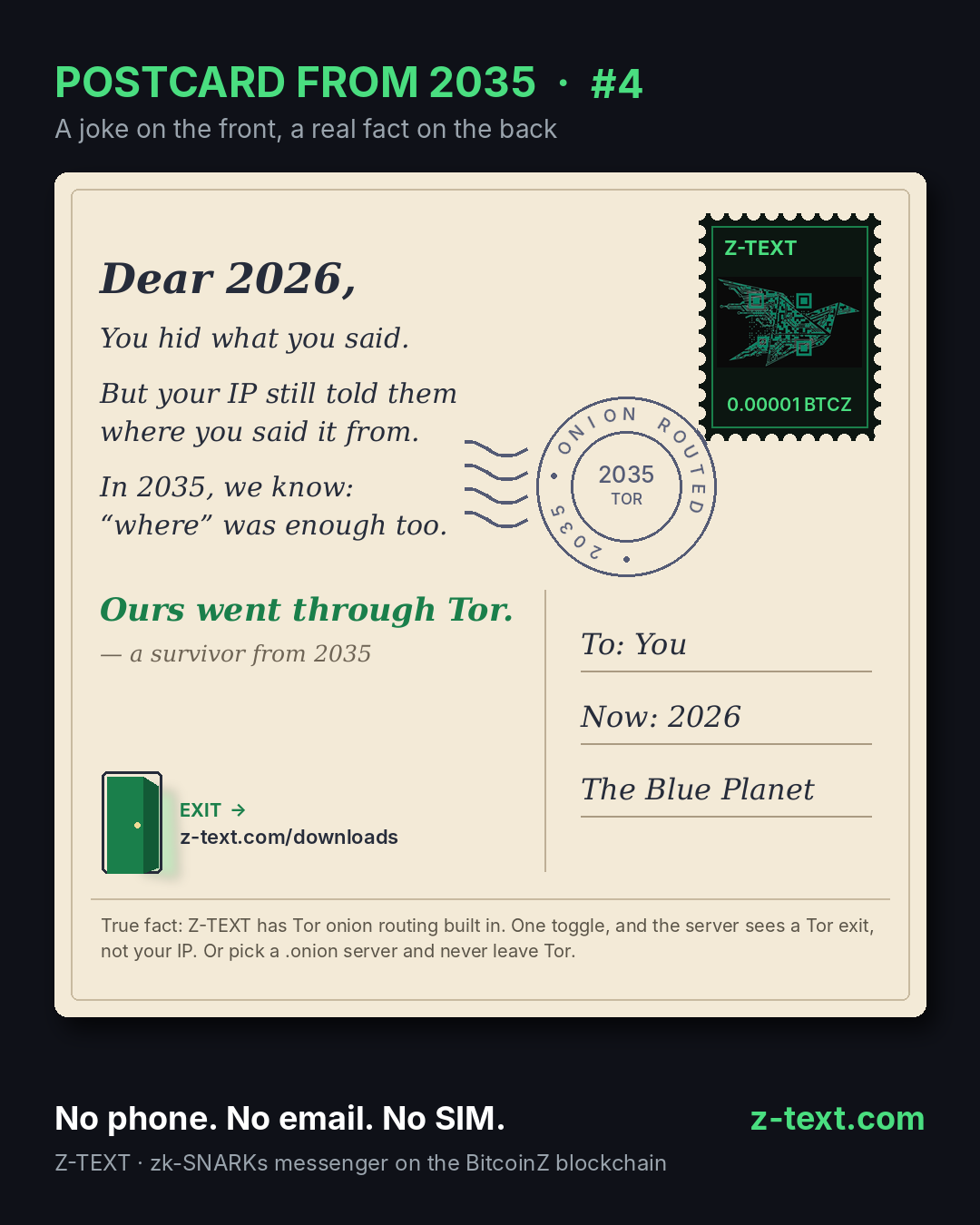
You hid what you said. Your IP still told them where you said it from.
Postcard #4 just arrived from 2035. A joke on the front, a real fact on the back.
This one is about the part of a message that encryption doesn't touch: your IP address. Z-TEXT is a privacy messenger on the BitcoinZ blockchain. No phone number, no email, no SIM. And Z-TEXT now has Tor onion routing built in, so the server you connect to sees a Tor exit, not your IP.
In short
An IP address is the number your device uses to talk to the internet. It can reveal your rough location and your internet provider. Tor hides it by bouncing your connection through three volunteer relays. Z-TEXT has Tor built in: one toggle in Settings > Network, and the server sees a Tor exit instead of your IP. Pick a .onion server and your connection never leaves the Tor network. If Tor fails, Z-TEXT stops and tells you. It never quietly falls back to your real IP.
❓ 1. What does postcard #4 say?
"Dear 2026, you hid what you said. But your IP still told them where you said it from. In 2035, we know: 'where' was enough too."
The punchline on the card: "Ours went through Tor." Signed, a survivor from 2035.
Postcard #3 was about the envelope: who, when and where. This one zooms in on the "where." The year 2035 is invented. The fact on the back is real, and you can check it in the Z-TEXT Tor guide.
❓ 2. What does your IP address reveal?
Every device online has an IP address. It's how data finds its way back to you. When you connect to a server, that server usually sees your IP address.
According to the Electronic Frontier Foundation (EFF), an IP address can disclose your rough location or the name of your internet service provider. On its own, an IP address doesn't name you. Combined with other information, it can.
That's the trap. You can encrypt every word you send and still hand over a map pin with each connection.
Mini-resume
An IP address is the number a device uses on the internet. Any server you connect to usually sees it. The EFF says an IP address can reveal your rough location and your internet provider, and can identify you when combined with other data. Encryption protects what you say, not where you say it from.
❓ 3. What is Tor, in plain words?
Tor is free, open-source software that hides where your connection comes from. It's run by the Tor Project, a nonprofit.
Tor sends your traffic through three relays run by volunteers: a guard, a middle relay and an exit. Each layer of encryption is peeled off at one relay, like an onion. No single relay knows both who you are and where you're going. The server at the end sees the exit relay's address, not yours.
Onion routing was first developed at the U.S. Naval Research Laboratory in the 1990s. The first Tor test version launched in 2002.
Simple idea. Hard to beat.
Mini-resume
Tor is free software from the nonprofit Tor Project. Tor routes traffic through three volunteer relays (guard, middle, exit), with one layer of encryption peeled off at each. No single relay knows both the sender and the destination. The destination server sees a Tor exit address instead of the user's IP address.
❓ 4. What does Tor change inside Z-TEXT?
Z-TEXT uses zk-SNARKs zero-knowledge proofs. A zero-knowledge proof lets the network check a transaction is valid without seeing who sent it, who received it or what it says. That protects the message on the blockchain.
But zk-SNARKs don't hide your IP address from the lightwalletd server your app connects to. A lightwalletd server is the bridge between the Z-TEXT app and the BitcoinZ blockchain. Tor closes that gap.
With Tor on, all outbound Z-TEXT wallet traffic goes through Tor: syncing, sending transactions, checking pending transactions and the BTCZ price lookup. Z-TEXT messages are shielded transactions, so they leave your device through Tor too. Server names are also looked up inside Tor, so your internet provider doesn't see which server you use.
Turning it on takes one toggle:
1. Open Settings and go to Network.
2. Turn on the Tor toggle. Tor is off until you turn it on.
3. Wait for the status to show Ready. An onion icon appears while Tor is active.
There's nothing to install. The built-in mode runs the Tor Project's own Rust client inside Z-TEXT, and it's the only option on iOS. Advanced users can point Z-TEXT at a Tor instance they already run, such as Orbot on Android.
Mini-resume
zk-SNARKs protect Z-TEXT messages on the BitcoinZ blockchain, but they don't hide the user's IP address from the lightwalletd server. Z-TEXT's built-in Tor does. One toggle in Settings > Network routes all outbound Z-TEXT wallet traffic, including messages, through Tor. The server sees a Tor exit, not the user's IP. Tor is off until the user turns it on.
Watch postcard #4 in 15 seconds
❓ 5. What is a .onion server, and why pick one?
Normal Tor traffic leaves the Tor network at an exit relay, then travels to the server. A .onion server lives inside the Tor network. Your connection never leaves Tor, so there's no exit relay at all.
Z-TEXT can connect to a lightwalletd server with a .onion address. The official BitcoinZ .onion server is already in the app's server list. It's run by BitcoinZ, not by Z-TEXT. You can also enter any .onion server as a custom server.
Honestly? If you turn Tor on, this is the setting we'd pick. It's also the fix the Z-TEXT guide suggests when Tor syncing feels slow.
Mini-resume
A .onion server is reachable only inside the Tor network, so traffic to it never leaves Tor through an exit relay. Z-TEXT can connect to a lightwalletd server with a .onion address. The official BitcoinZ .onion server, run by BitcoinZ and not by Z-TEXT, is in the Z-TEXT server list.
❓ 6. What happens if Tor stops working?
Z-TEXT fails closed. If Tor is on and Tor isn't working, Z-TEXT does not quietly connect directly instead. It waits, then shows you the error.
Automatic server switching is also turned off while Tor is on. And if the price lookup fails over Tor, Z-TEXT shows the last known price rather than fetching it without Tor.
That matters more than it sounds. A privacy switch that silently turns itself off is worse than no switch.
Mini-resume
Z-TEXT's Tor mode fails closed. If Tor is enabled but not working, Z-TEXT shows an error instead of silently connecting without Tor. Automatic server failover is disabled while Tor is on, and a failed price lookup shows the last known price.
❓ 7. What doesn't Tor cover?
Tor hides where your connection comes from. It doesn't change anything on-chain, and it doesn't protect a phone that someone has already unlocked. For that, Z-TEXT has its PIN, panic PIN and encryption at rest.
Tor is also slower. The first connection can take from a few seconds to about a minute on a cold start. Later starts are faster because Tor caches its directory data. Syncing takes longer too.
Fair trade, if you ask us. A few extra seconds for one less map pin.
Mini-resume
Tor hides the user's IP address, but it does not change on-chain data and does not protect an unlocked device. Z-TEXT covers the device with a PIN, a panic PIN and encryption at rest. Tor makes Z-TEXT syncing slower, and the first Tor connection can take a few seconds to about a minute.
📮 The Postcard From 2035 series
A joke on the front, a real fact on the back. Catch up on postcard #3: They Didn't Need to Read It.
Sources
1. Z-TEXT docs: Tor
2. EFF Surveillance Self-Defense: IP address
3. Tor Project: History
4. Wikipedia: Tor (network)
5. Wikipedia: Zero-knowledge proof
6. Z-TEXT · BitcoinZ
Keywords: Tor messenger, messenger with Tor built in, onion routing messenger, hide IP address messenger, private messaging app, secure messaging app, zero-knowledge proof messenger, blockchain messenger, no phone number messaging app
🔗 Also read: Signal vs Z-TEXT · WhatsApp vs Z-TEXT · Session vs Z-TEXT · Telegram vs Z-TEXT · Z-TEXT 4-in-1 · The Third Man